Free
$0
forever, for learning and personal work
- Watermarked exports
- Every export format
- Nothing to install
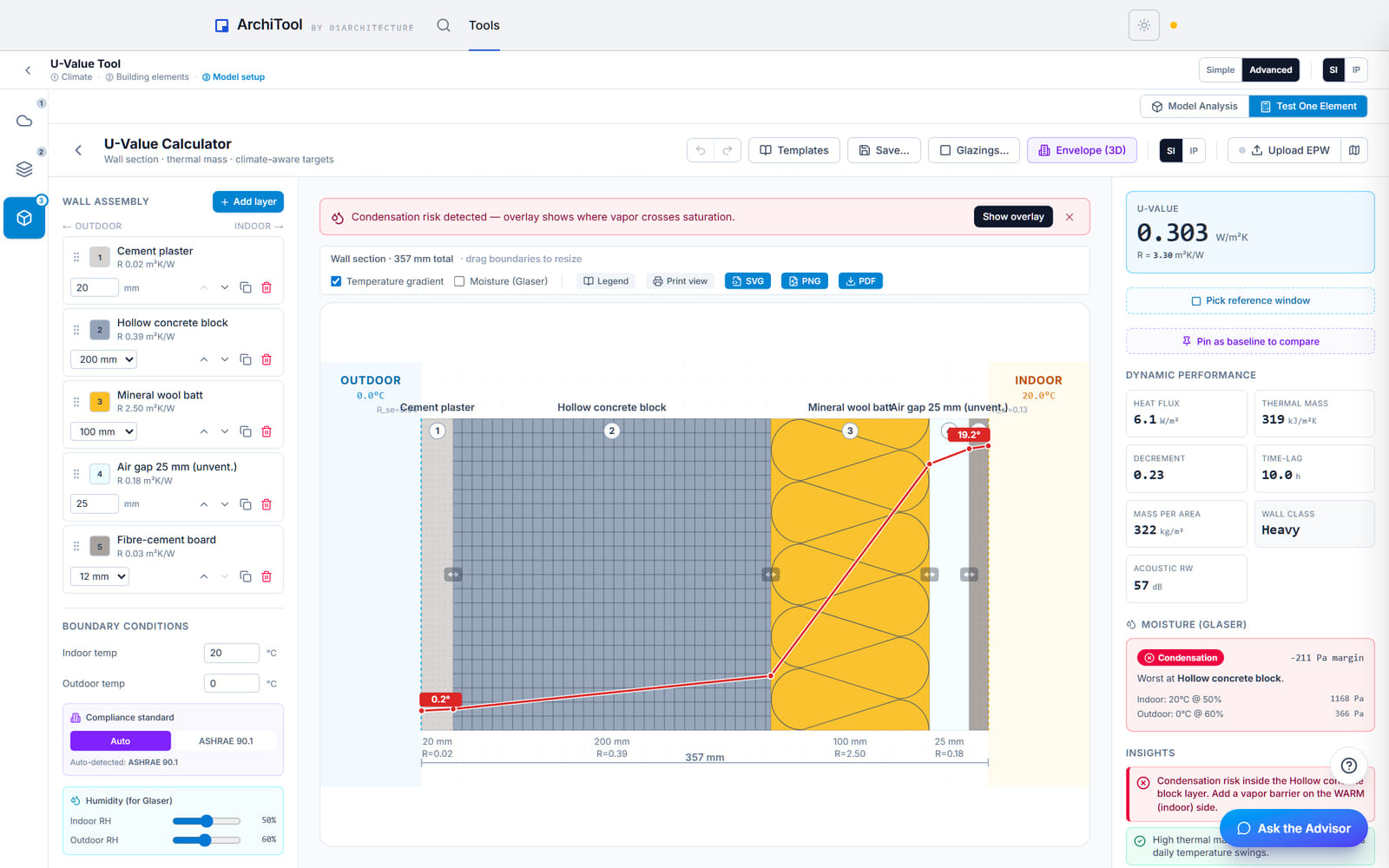
Build an assembly layer by layer — masonry, insulation, air gap, finish — and read its U-value, R-value and thermal mass as you edit, with a pass or fail against the target for the site's climate.
Free to try, no account for the preview. First result under 2 min.
Live as you edit
Add a layer or change a thickness and every number recalculates.
Built to the standard
Thermal resistance follows ISO 6946, with condensation checks per ISO 13788.
Target follows the site
Load the site's weather file and the target is set by its climate, not a fixed default.
Runs in your browser
Pick from the material library; any file you load is read locally.
Wall, roof and floor build-ups
Lay up the assembly exterior to interior and the tool reports its U-value, R-value and thermal mass, then says whether it meets the target for the climate you are building in.
Use Quick Check for a single element or Project Analysis for a whole envelope. The annotated section and the figures leave as a PDF, SVG or PNG for the specification meeting.
Quick Check or Project Analysis
One element, or a full 3D envelope
Climate-aware verdict
Pass or fail against the site's target
Condensation flags
Interstitial and dew-point risk per ISO 13788
Plans
Build and read for free. Pay when the section goes to a client.
Free
$0
forever, for learning and personal work
Pro
$29
per month, or $290 a year
Education
Free
with a verified academic email
Limits shown are the live ones for this tool. Free and Education are for learning and personal exploration; client and commercial work needs Pro. See the terms. Want the method and its limits? Read the tutorial.
Export formats
The annotated section and its figures leave for the specification, and any value can be copied to the clipboard.
Opens in Rhino, AutoCAD, Illustrator and Inkscape; the figures drop into any document.
Rhino · AutoCAD · Illustrator
An annotated section drawing with the layered build-up.
Your wall
FAQ
Everything about data, formats and plans. Still curious? The tutorial goes deeper, and the Report button inside the tool reaches us.
Nothing to hand. Pick materials from the built-in library and stack them for a single element, or bring a .3dm envelope for a full project analysis; a weather file is optional.
It exports the section drawing and the figures as PDF, SVG or PNG, and any value can be copied to the clipboard for a specification.
It follows ISO 6946 for thermal resistance, with interstitial condensation and dew-point checks per ISO 13788; ASHRAE 90.1 envelope targets are available for comparison.
Yes. Load the site's weather file and the pass or fail target follows that climate rather than a fixed national figure.
Yes. Stack each assembly in turn; both read on the same basis, so two options compare on equal terms before you specify one.
No. The materials and any file you load are read in your browser.
Stack the wall, get the U-value and know if it passes for this climate.