Free
$0
forever, for learning and personal work
- Runs at 1 credit each, from 15 free credits a month (all tools)
- Watermarked exports
- Every export format
- Nothing to install
Load a massing and a weather file, then move the sun across any date or hour: the shadows it casts on the building and the ground, and the direct-sun hours each facade cell receives. Every study leaves as real geometry, or a video for the review.
Free to try, no account for the preview. First result under 2 min.
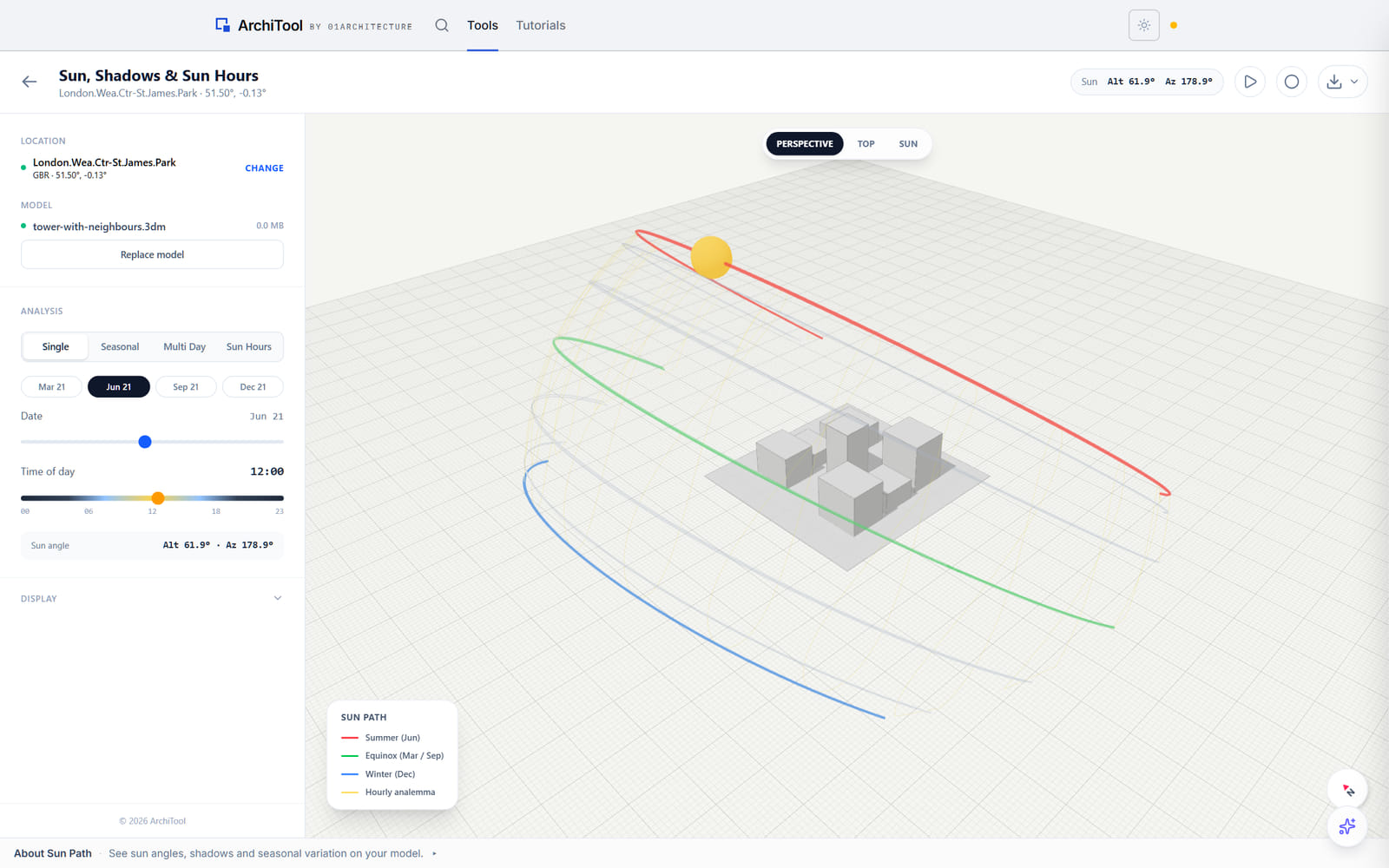
Shadows on the model
What your building, its neighbours and the ground cast at the date and hour you pick.
Four ways to read it
A single day, a seasonal comparison, a custom multi-day range, or a sun-hours map.
Built for the study
Date and time sliders, the equinox and solstice dates, and the sun's angle read off the model.
Built in your browser
The model is parsed locally; nothing is uploaded while you move the sun.
Shadow and sun-hours studies
Scrub a date and hour and the sun moves with you, casting shadows across the model and its context. Switch to a sun-hours reading and each facade cell is coloured by how much direct sun it gets across the window you choose.
Run a single day for one moment, compare the seasons side by side, or step through a multi-day range. A sun angle readout follows the sun as you move it, any view animates and can record as a video, and the camera switches between a perspective, top and sun view before you take the study into the drawing set.
Single, seasonal or multi-day
A date and hour, the seasons side by side, or a custom range
Sun hours, mapped
Direct-sun hours per facade cell over the window you set
Outlines as geometry
Shadow outlines to .3dm, SVG or DXF
Plans
Explore and read for free. Pay when the study goes to a client.
Free
$0
forever, for learning and personal work
Pro
$29
per month, or $290 a year
Education
Free
with a verified academic email
Limits shown are the live ones for this tool. Free and Education are for learning and personal exploration; client and commercial work needs Pro. See the terms. Want the method and its limits? Read the tutorial.
Export formats
The study leaves as shadow geometry for the drawing set, the coloured sun-hours grid back into Rhino, or a short video of the sun crossing the model for the review.
Opens in Rhino, AutoCAD, Illustrator and Inkscape; the video plays anywhere.
Rhino
The coloured sun-hours grid or shadow outlines on their own layers, or baked straight into the open document from the panel.
AutoCAD · Illustrator · Inkscape
Shadow outlines as real geometry for the planning set.
Your model
A presentation
The sun crossing the model as a short video.
FAQ
Everything about data, formats and plans. Still curious? The tutorial goes deeper, and the Report button inside the tool reaches us.
A model — a Rhino .3dm, or an .obj, .fbx or .ifc — and a location: pick the nearest weather station on the map, or drop your own .epw. The location sets the sun's path; the geometry you load casts the shadows.
Not your own. Pick the nearest weather station on the map and the tool loads it; the sun path uses its location and time zone. Have an .epw for the site? Drop it in instead.
A single date and hour, a seasonal comparison of the solstices, a custom multi-day range, or a sun-hours map of the direct sun each facade cell gets over the window you set.
Shadow outlines leave as .3dm, SVG or DXF, the coloured sun-hours grid comes back into Rhino or bakes straight into the open document, and a run through the year records as a video.
No. The model is parsed in your browser and stays on your machine. It leaves only when you export it back to Rhino.
Where the shadows fall, hour by hour, on the model you already have.