Free
$0
forever, for learning and personal work
- Every export format
- Nothing to install
Pick the weather stations near your site and read their rainfall year by year: the wet and dry years, the trend across the record, and every station's yearly totals, with nothing interpolated.
Free to try, no account for the preview. First result under 2 min.
Measured, not modelled
Rainfall comes from station records and is never gap-filled or interpolated.
Your site's stations
Choose the stations around the site on the map, or bring your own workbook.
Traceable figures
Each station keeps its id, name and position, so a chart points back to where it was measured.
Built in your browser
The workbook is read locally; nothing is uploaded.
Rainfall record
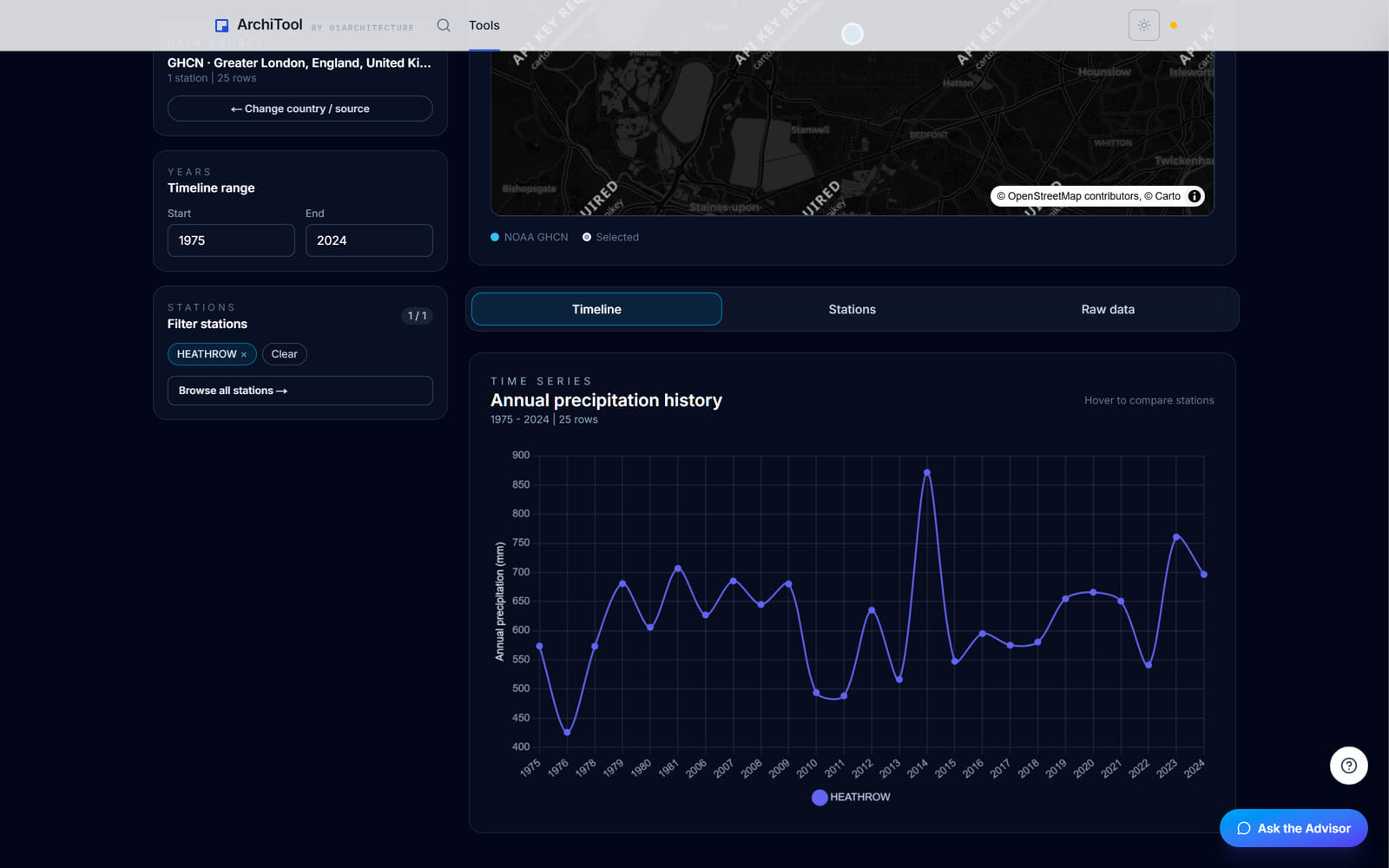
Filter to the stations around your site and set the years you care about. Each line is one station's annual rainfall, and the wet and dry years stand out across the record.
Hover any point for the exact value, compare neighbouring stations to spot gaps, and take the totals as CSV or the chart as PNG for the report.
Annual trends
Rainfall year by year, station by station
Wet and dry years
The extremes picked out of the record
Your own records
A workbook in the same columns sits beside the public stations
Plans
Read and chart for free. Pay when the study goes into a client report.
Free
$0
forever, for learning and personal work
Pro
$29
per month, or $290 a year
Education
Free
with a verified academic email
Limits shown are the live ones for this tool. Free and Education are for learning and personal exploration; client and commercial work needs Pro. See the terms. Want the method and its limits? Read the tutorial.
Export formats
Every station's yearly totals leave as a CSV for a spreadsheet, and the chart as a PNG for the report or the board.
The CSV opens in any spreadsheet; the PNG drops into any document or slide.
A spreadsheet
Every station's yearly totals, one row each.
Your site
A report or a board
The trend chart as a flat image.
FAQ
Everything about data, formats and plans. Still curious? The tutorial goes deeper, and the Report button inside the tool reaches us.
It comes from NOAA's Global Historical Climatology Network station records, picked from a map, or from a workbook you upload in the same STATION / NAME / YEAR / AMOUNT shape.
Nothing but a place. Pick the weather stations near your site on the map and set a radius, or upload your own workbook; no file is required.
It exports every station's yearly totals as CSV, and the chart as PNG.
No. Everything shown is an aggregation of measured station records, with no gap filling and no interpolation between stations.
No. It charts a record of what has happened, not a projection for a future year.
Yes. A workbook with STATION, NAME, YEAR and AMOUNT columns is accepted alongside the public stations.
No. The workbook is read in your browser and nothing is uploaded.
Decades of rainfall for your site, charted for the drainage conversation.