Free
$0
forever, for learning and personal work
- Every export format
- Nothing to install
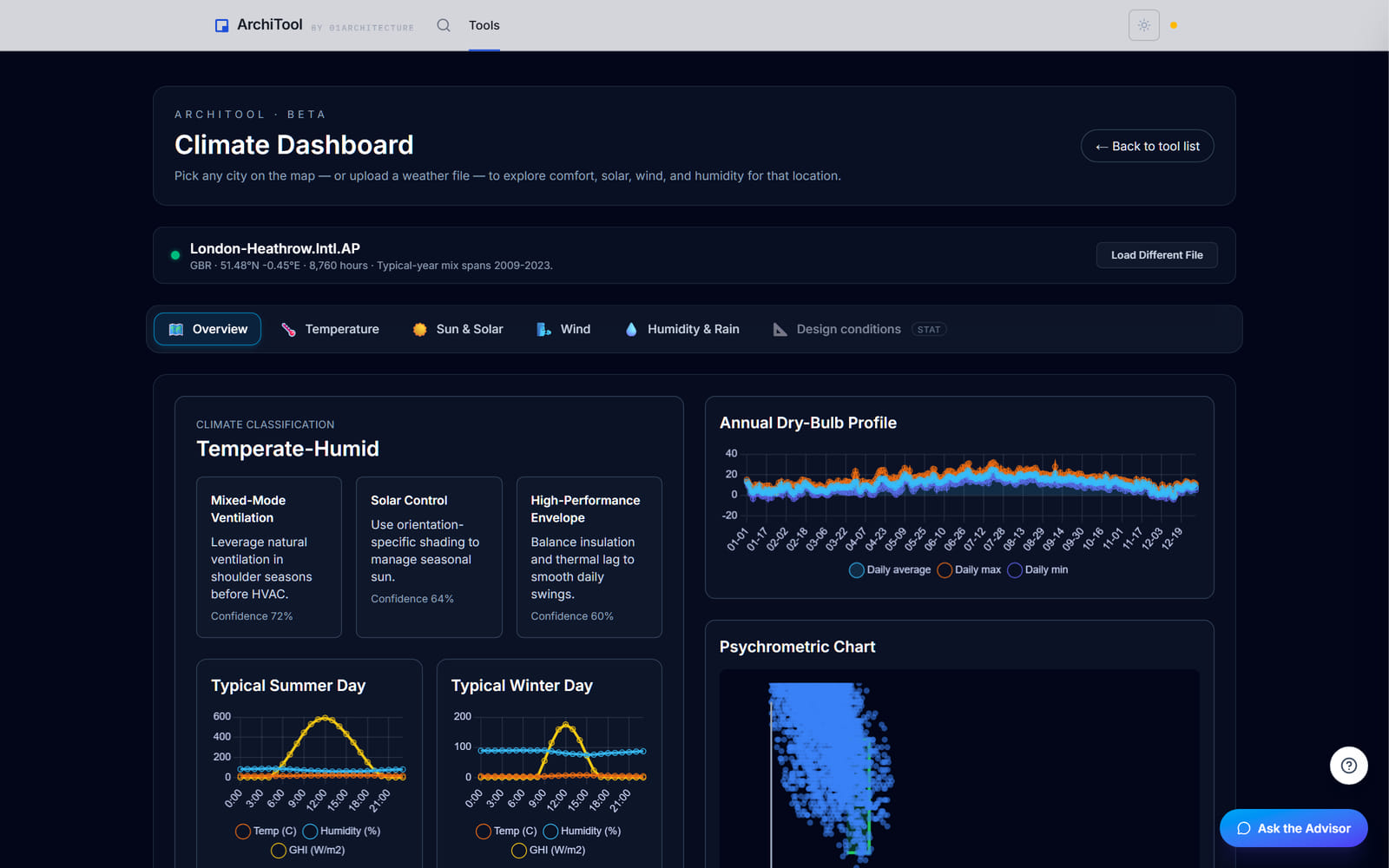
Load a weather file or pick a city and the climate becomes a brief: the headline numbers, the charts behind them, and the design findings the site raises, ranked. Read it on screen, export the charts, or send the link.
Free to try, no account for the preview. First result under 1 min.
Findings, not a data dump
Each finding states what the site asks of the building, and links to the chart behind it.
By design question
Heat and cold, sun and sky, wind, water and humidity, each with its evidence.
Any city, or your file
Start from a place on the map, or bring your own weather file.
Built in your browser
The file is read locally; the link leaves only when you copy it.
The climate brief
The brief names the climate, sets out the headline numbers and a year at a glance, then ranks the design findings: what this place asks of the building, in the order it matters. Every finding links to the chart that proves it.
Open the evidence by question, heat and cold, sun and sky, wind, water and humidity, and read the brief first, the charts only when you want the working. Nothing runs until you load a file, and nothing needs an account.
A ranked brief
The design findings in order, each with the number behind it
Evidence by question
Four sections of charts, grouped by design question
Portable
Copy the link, or export any chart as PNG or SVG
Plans
The whole tool is open to everyone. Read the brief and export the charts without an account.
Free
$0
forever, for learning and personal work
Pro
$29
per month, or $290 a year
Education
Free
with a verified academic email
Limits shown are the live ones for this tool. Free and Education are for learning and personal exploration; client and commercial work needs Pro. See the terms. Want the method and its limits? Read the tutorial.
Export formats
The brief is a page you read on screen and send as a link; the charts leave as image files for a report, a deck or a board.
Charts open in any browser, and drop into Word, PowerPoint, InDesign or Illustrator.
A report or a deck
Any chart as a flat image, ready to drop into a document or presentation.
Your climate
A colleague or a class
The station and layer in one link you can copy and send.
FAQ
Everything about data, formats and plans. Still curious? The tutorial goes deeper, and the Report button inside the tool reaches us.
From the weather file you load, or the station you pick on the map. The file carries its own summary, so the brief is read straight from the data rather than a separate database.
The climate named, the headline numbers, a year at a glance and a ranked list of design findings. Each finding opens the chart that backs it.
Any chart as PNG or SVG, and the station and layer as a link you can copy. The brief itself is a page in the tool.
No. A weather file describes a typical year assembled from past records, not a specific future year. The design conditions come from the file's own summary.
No. Every finding, chart and export is open on every plan, including Free.
No. The weather file is read in your browser. It leaves only if you copy the link to share it.
Read a city's climate in five minutes, before a line is drawn.